Are you tired of the same old straight, perpendicular lines between your treasured photos? It might be time to think outside the box, literally. Here at The Picture Framing Group, widely known throughout Chicagoland as The Frame Shop, we believe that custom framing is a true art form. Our dedicated team of experts, guided by the vision of owners Cole and Don Glassner, is constantly searching for innovative design techniques to elevate your artwork and seamlessly enhance your home decor.
In a highly inspiring framing industry feature by professional framer Brian Wolf, design enthusiasts and framers alike are challenged to ditch those predictable ninety degree angles. Instead, we are encouraged to fully embrace the advanced digital drawing programs equipped on our Computerized Mat Cutters. While standard design software does not feature a simple magic button for instant creative dividers, mastering a few advanced digital drawing tools can completely revolutionize your casual visual presentations. By deliberately breaking the standard geometric grid, we can transform a basic multi opening mat into a dynamic, gallery worthy presentation that commands attention in any room.
Here are three distinct and highly creative ways our master framers shake up multi opening mats to bring fresh, sophisticated energy to your custom framing projects.
1. The “Sisters” Slant 
Why stay completely straight when a subtle, angled tilt can change the entire mood of your display? Rotating a mat divider just ten degrees creates immediate visual drama and movement. This custom approach is absolutely perfect for framing casual family portraits, dynamic vacation photographs, or any eclectic collection of prints that requires a touch of modern energy. Rather than locking your precious images into a rigid, unyielding checkerboard, an angled divider breathes incredible life into the overall composition.
- The Look: Arrange your enclosed images so they are not the exact same height or perfectly centered within the overall frame boundaries. This deliberate asymmetry forces the viewer to actively explore the entire framed piece, creating a highly engaging visual narrative.
- The Trick: Our framers create an extra digital opening exactly where the spatial gap belongs. We then carefully rotate that specific shape within our digital software to establish the precise cut lines needed for the slanted divider.
- Why It Works: It feels beautifully casual yet entirely intentional. A slanted line naturally guides the human eye from the top left corner down to the bottom right, creating a fluid viewing experience that static, perfectly square grids simply cannot match.
2. The Tapered Gap
If perfectly parallel lines feel far too safe or traditional for your personal interior design tastes, try tapering the divider so it is wider at one end than the other. This sophisticated framing technique adds a remarkable sense of perspective and architectural depth to your custom piece. It is a highly effective design choice for framing contemporary art, striking architectural photography, or eclectic gallery wall components where you want the matting itself to play an active role in the visual narrative.
- The Look: Imagine a mat board divider that measures nearly a full inch at the top edge and gracefully narrows down to half an inch at the bottom. This subtle wedge shape creates a striking illusion of three dimensional movement and draws the eye directly toward the focal point of the artwork.
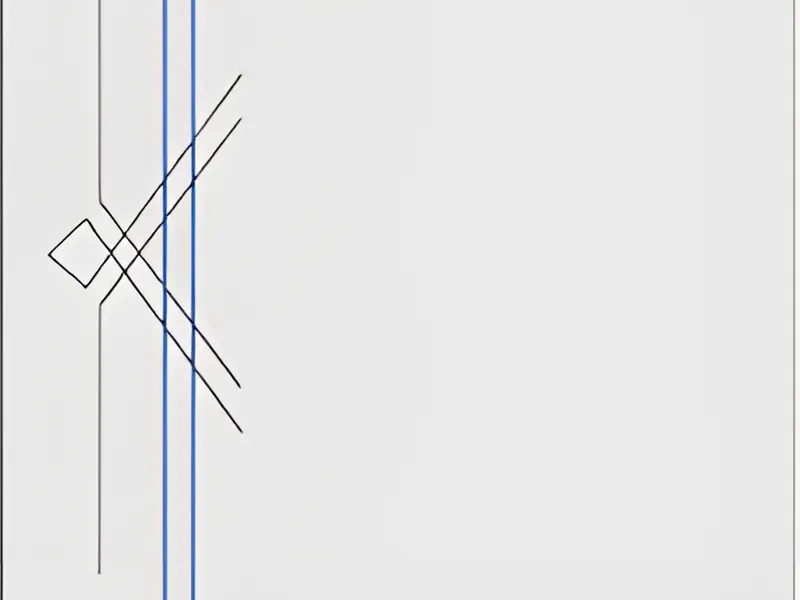
- The Trick: Our skilled artisans utilize the explode function within the computerized cutter software to cleanly separate the standard parallel lines. From there, we manually adjust the top anchor points to create the precise, customized taper.
- Pro Tip: Make sure the applied taper is obvious enough that it looks like a deliberate, high end artistic choice rather than an accidental alignment mistake made during the mat cutting process. A well executed taper is unmistakable in its sophistication.
3. Curvaceous Cuts
Sweeping curves are incredibly visually appealing, and they effectively break up the strict rigidity of traditional square or rectangular frames. Incorporating curved lines into a custom mat design brings a profound sense of elegance, softness, and unexpected artistry to your displayed pieces. This specialized technique is particularly popular at The Picture Framing Group when our clients bring in vintage botanical prints, flowing abstract watercolors, or cherished heirloom family portraits that greatly benefit from a softer visual border.
- Parallel Curves: We utilize the highly accurate offset function within our design software to create perfectly concentric curved lines between multiple enclosed images. This maintains an even visual gap while still introducing a graceful, flowing contour that complements the underlying art.
- Tapered Curves: By meticulously moving individual digital control points, our designers can fabricate curves that expand or contract as they sweep across the mat board. This creates a highly dynamic look that goes far beyond what most people typically expect from a standard local frame shop.
- Zig-Zags: You can even interrupt these smooth, flowing curves with sharp geometric shapes or jagged zig zags for a mechanical, highly modern aesthetic. This beautiful juxtaposition of soft curves and hard angles results in a truly bespoke presentation tailored exactly to your unique artwork.
Master Your Tools
The secret sauce behind these stunning, museum quality presentations is not magic. It relies entirely on a deep, comprehensive understanding of the advanced drawing functions built specifically into our state of the art computerized mat cutting systems. By utilizing specific system commands like explode, delete, join, and offset, our experienced framers can manipulate internal cut lines and digital control points with absolute pinpoint accuracy.
When you bring your cherished artwork to The Picture Framing Group here in Chicagoland, you are trusting a dedicated team that knows exactly how to leverage this incredible technology. Once a professional framer learns to skillfully manipulate these invisible digital lines and anchor points, they are no longer just cutting standard paper mats. They are actively designing bespoke, architectural art that enhances, protects, and perfectly frames your original photographs and prints. Our ongoing investment in cutting edge machinery allows us to offer you precise, intricate, and entirely custom matting options that traditional manual cutting methods simply cannot achieve.
Elevate Your Chicago Home Decor
Your unique art collection certainly deserves far more than a standard, off the shelf presentation. At The Frame Shop, our entire team of dedicated design professionals is incredibly passionate about pushing the stylistic boundaries of traditional custom framing. We understand that every piece of art holds immense personal value, and our primary goal is to showcase those precious memories in the most captivating way possible.
We warmly invite you to visit our Chicagoland location and bring us your most challenging multi opening projects, your expansive family photo collages, and your distinctly unique decorative ideas. Together, we can break the standard framing grid, expertly utilize these highly creative mat dividers, and carefully craft a spectacular finished piece that perfectly complements your home interior and your personal design style. Stop by today to discover the endless creative possibilities that await your next custom framing project.